Open Excel Files & Sheets Online
Open an Excel sheet online without Microsoft Excel. View .xlsx, .xls, .xlsm, and .xlsb workbooks directly in your browser with no signup and no upload to a server - a fast, free online Excel viewer.
Drop your file here or click to upload
Supports .xlsx, .xls, .xlsm, .xlsb · up to 50MB · or paste a file from your clipboard
Lightweight data view: supported cells, saved formula results, common number formats, merged ranges, and sheet tabs - not a pixel-perfect Excel replica.
How to Open an Excel Sheet Online
- Upload your file - Drag and drop your Excel file into the upload area, or click to browse your files.
- View your data - Your spreadsheet will be displayed in a familiar grid format with rows, columns, and sheet tabs.
- Navigate sheets - Use the tabs at the bottom to switch between different sheets in your workbook.
- Download or convert - Export your data as CSV or use our other tools to convert to different formats.
What Renders in Your Browser
No online viewer reproduces desktop Excel pixel-for-pixel, and most don't tell you what to expect. Here is exactly what this viewer shows:
| Workbook content | Rendered? |
|---|---|
| Cell values (text, numbers, dates, booleans) | Yes |
| Multiple worksheets | Yes - switch with the sheet tabs |
| Formula results | Yes - the value Excel last calculated; formulas are not re-run |
| Macros (.xlsm) | Never executed - you can safely inspect files from unknown senders |
| Number formats (currency, percentages, dates) | Yes - cells display with their format applied, so dates read as dates, not serial numbers |
| Merged cells | Yes - merged ranges render as merged; applying a column sort temporarily unmerges them |
| Column widths | Yes - the workbook's declared widths are approximated in the grid |
| Frozen rows and columns | Yes - a frozen header row or label column stays in place while the grid scrolls. Freezing pauses while a column sort is applied, because sorting moves rows out of the frozen band |
| Rows and columns hidden in Excel | Shown, dimmed and hatched, with a count above the grid - not dropped. Hidden rows are often exactly why a total does not match the rows above it |
| Cell colors, fonts, and borders | No - data is shown in a clean uniform grid |
| Charts, images, and pivot table layouts | No - underlying data still appears in its sheet |
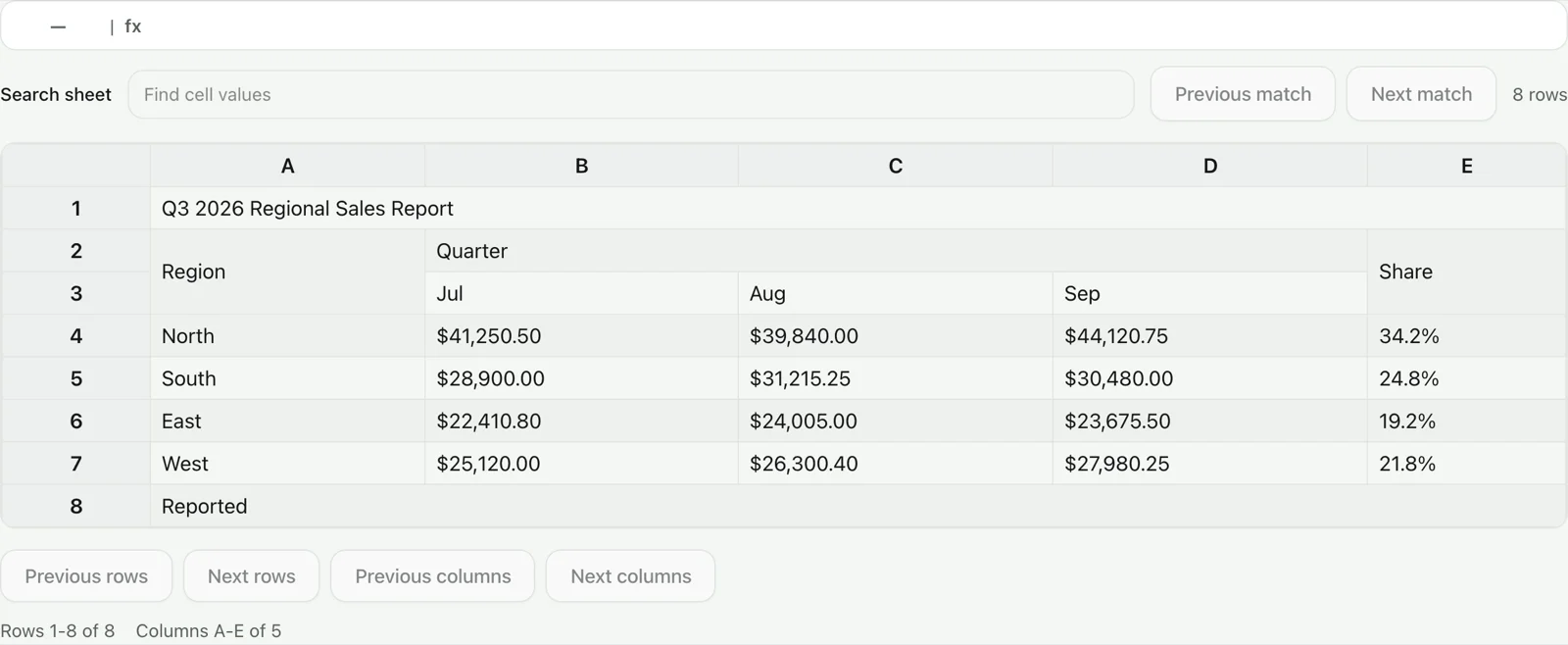
If you need full visual fidelity, open the file in desktop Excel. If you need to read the data - check a report, find a record, grab numbers from a sheet someone emailed you - this viewer gets you there in seconds without uploading anything.
Need to change a few values instead? Continue in the lightweight Excel Editor. It can edit cell values and add or remove rows and columns, but it does not recalculate formulas or reproduce advanced workbook features.
About the Excel Viewer
Our free online Excel viewer allows you to open Excel files online without installing Microsoft Excel or any other software. Whether you have a modern .xlsx file, a macro-enabled .xlsm workbook, a legacy .xls file, or an .xlsb workbook, our viewer handles them all through one read-only interface.
The viewer reads supported worksheet cells, sheet tabs, and saved formula results, then applies common number formats, merged ranges, approximate column widths, and the workbook's frozen rows and columns. It does not recalculate formulas or reproduce every visual Excel feature. The capability table above spells out what renders, and bounded windowing keeps large files practical to navigate.
Where a workbook hides rows or columns, they are shown dimmed and hatched rather than removed, and the count is stated above the grid. That is a deliberate difference from Excel: someone opening a workbook in a viewer is usually trying to work out why a figure looks wrong, and a hidden adjustment column is the common answer. Nothing is silently dropped, and nothing pretends Excel would show it.
Features
- Support for .xlsx, .xls, .xlsm, and .xlsb file formats
- Multi-sheet support with tab navigation
- Number formats applied: currency, percentages, and real dates
- Merged cells and workbook column widths rendered
- Frozen header rows and label columns stay put while you scroll
- Rows and columns hidden in Excel are marked, not discarded
- Search and per-column sorting within each sheet
- Formula bar showing cell contents
- Column and row headers for easy reference
- Export the active worksheet tab to CSV format
- 100% client-side processing for privacy
- No file size limits under 50MB
- Works on desktop and mobile browsers
How This Compares to Other Online Excel Viewers
The prominent online viewers all open a spreadsheet in a browser, but most first upload it to a rendering or sharing service. Their output is often closer to a document preview; this page is built for inspecting the underlying sheet data.
| Tool | Where your file goes | Approach |
|---|---|---|
| ExcelTool.io (this page) | Nowhere - parsed on your device | Free, no account or daily quota; opens XLSX, XLS, XLSM, and XLSB as an interactive data grid and never executes macros |
| Aspose.Cells Viewer | Aspose servers; the page states a 24-hour deletion window | Server-rendered spreadsheet preview with chart and shape images plus XLSX, PDF, HTML, or image export |
| GroupDocs Excel Viewer | GroupDocs cloud servers; uploaded previews are deleted after 24 hours | Cloud-rendered document view with printing, PDF download, and password entry for encrypted files; the free page shows a three-document daily allowance |
| Jumpshare Spreadsheet Viewer | Uploaded to Jumpshare and retained for 24 hours without an account | Shareable spreadsheet preview for XLS, XLSX, ODS, and CSV; the free page states two spreadsheet uploads per day |
General Excel-viewer descriptions checked 2026-07-28 against the linked product pages; consult them for current quotas and retention terms.
A rendered preview and a data inspector answer different questions. This viewer shows the saved result of a formula without pretending to recalculate it, never runs XLSM macros, and deliberately marks rows and columns hidden in Excel instead of making them disappear. Those boundaries matter when you are auditing a workbook rather than judging its page layout.
Frequently Asked Questions
Drag your Excel file onto the drop zone above or click to browse. The viewer reads supported worksheet data in your browser, so you can inspect .xlsx, .xls, .xlsm, and .xlsb workbooks without Microsoft Excel.
Yes. This is a free online Excel viewer that runs entirely in your browser - there is nothing to install and no Microsoft account or Microsoft 365 subscription needed. It works on Windows, Mac, Chromebook, and phones.
Yes, our Excel viewer is completely free to use. There are no hidden fees, no premium tiers, and no signup required.
Your file is processed locally in your browser and is not uploaded to our server. Use a trusted device, and remember that macros are not executed here if you are inspecting an unfamiliar workbook.
The viewer reads worksheet data from .xlsx, .xls, .xlsm, and .xlsb files. It shows common number formats, merged ranges, column widths, frozen rows and columns, and saved formula results, and it marks rows and columns that are hidden in Excel instead of dropping them. It does not recalculate formulas, run macros, or reproduce every style, chart, image, or pivot table layout.
Our viewer can handle files up to 50MB. For very large files, we recommend using desktop Excel for optimal performance.
Yes - start with our lightweight Excel Editor at /excel-editor to change cell values or add and remove rows and columns, then download a new .xlsx file. It does not recalculate formulas or reproduce advanced Excel features, so use desktop Excel or Google Sheets for complex editing.
Yes. Open your file, then click Print / Save as PDF - it opens your browser's print dialog with the bounded row and column window currently visible in the grid, without menus or buttons. Use the row and column controls to choose the window before printing. Download CSV exports every row and column from the active worksheet tab.
Related Tools
Excel Editor
Make lightweight cell, row, and column edits
XLSM Viewer
Inspect macro-enabled workbooks without running VBA
XLSX Viewer
View modern .xlsx Excel files online
XLS Viewer
View legacy .xls Excel files
Excel to PDF
Convert your Excel file to PDF
Excel to JSON
Convert Excel data to JSON format
Excel Compare
Compare two Excel files side by side
Sample Excel Files
CC0 test workbooks with published checksums